The Shared Problem
Most retail banking apps in Malawi still treat mobile money — Airtel Money, TNM Mpamba — as an afterthought bolted onto a traditional bank-transfer flow, even though it's how most people actually move money day to day. Both redesigns below start from the same premise: a Malawian banking app should treat mobile money as a first-class destination, not a workaround.
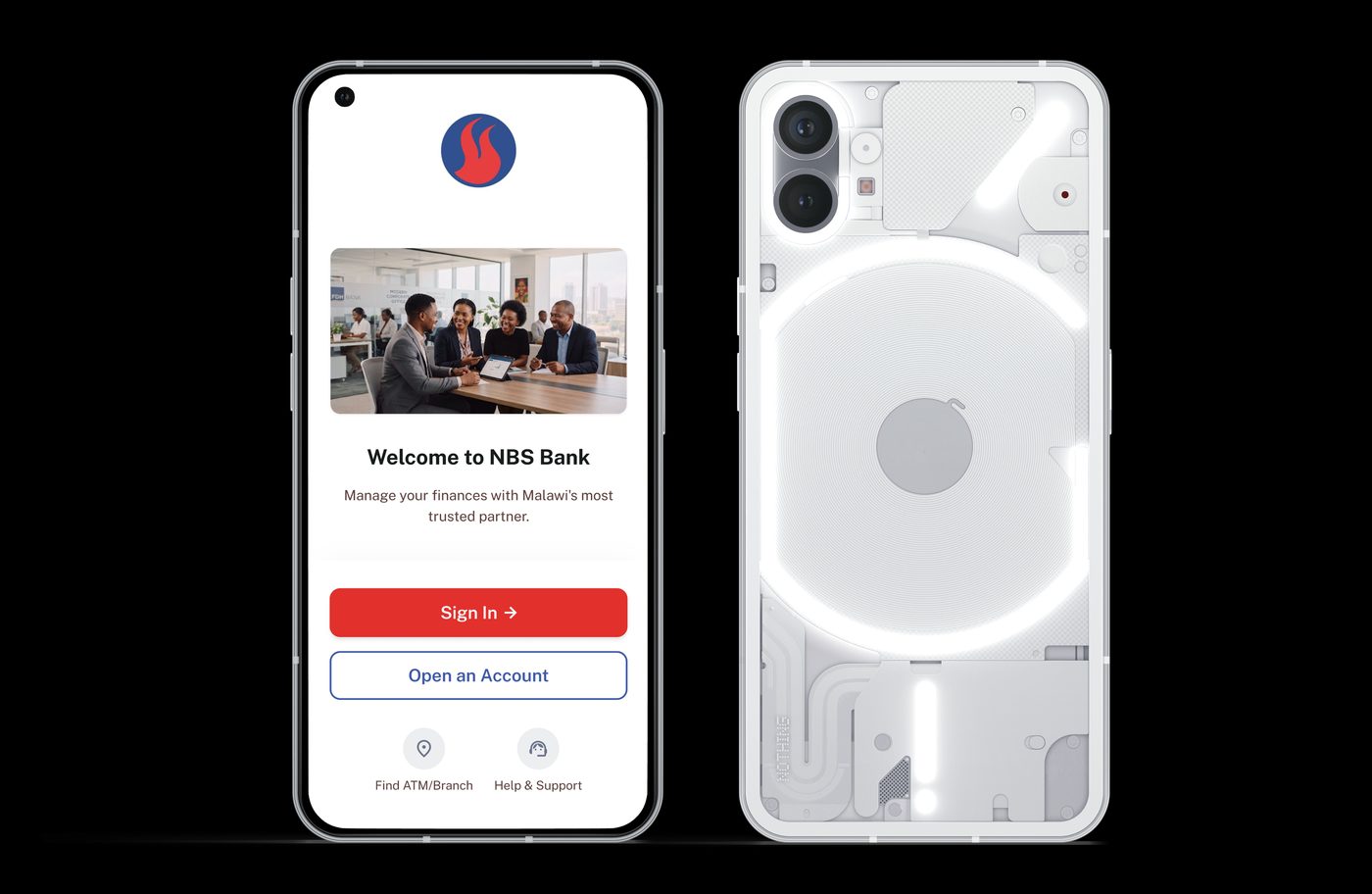
NBS Bank — Mobile App Redesign
Date: June 2023
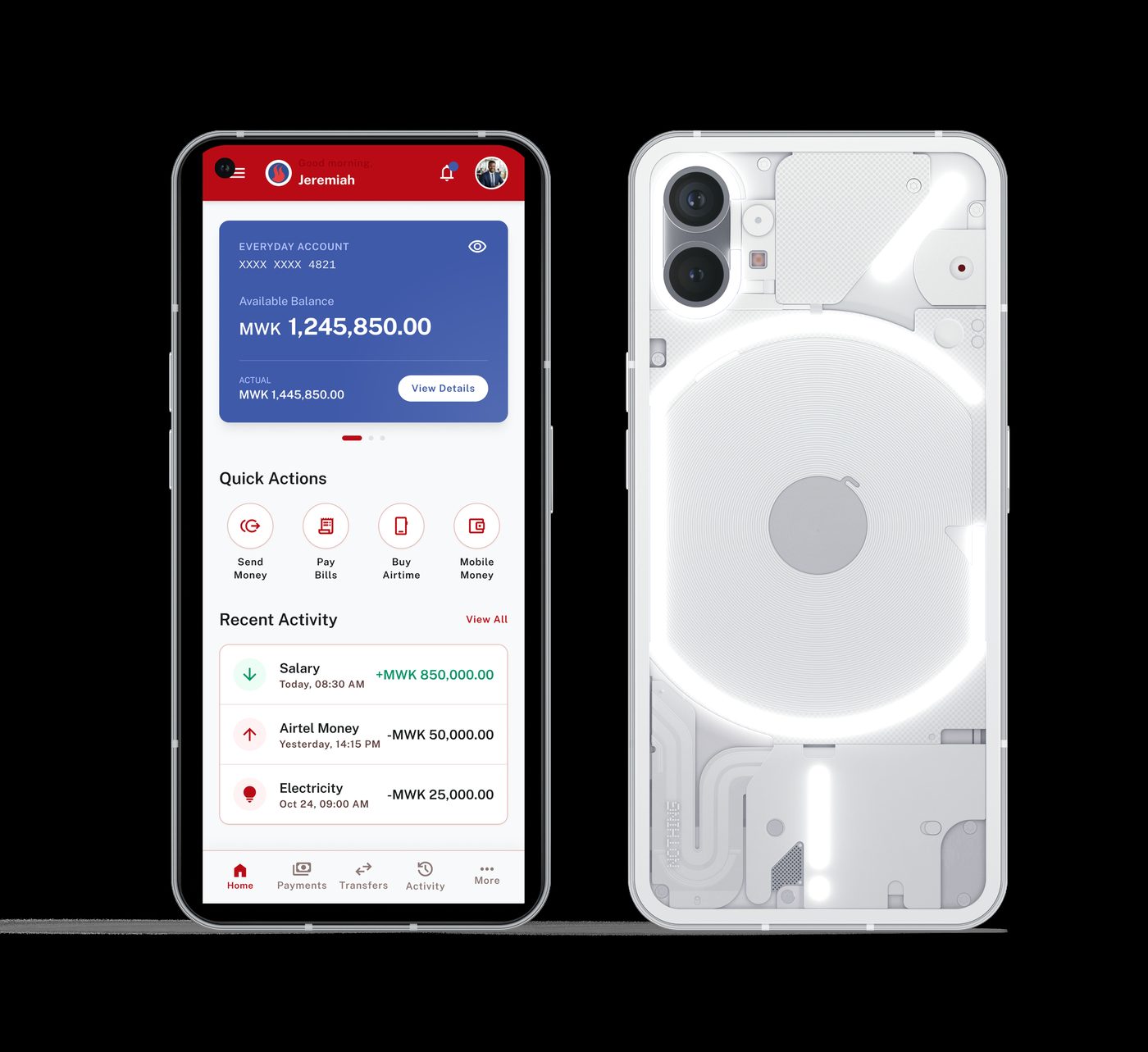
"Available" and "Actual" balance, shown separately. The account card distinguishes Available Balance (MWK 1,245,850.00) from Actual (MWK 1,445,850.00) — the gap represents pending holds or uncleared transactions. Showing one blended number is a common source of confusion in banking apps; separating them lets a user reason about what they can safely spend right now versus what's technically theirs.
Quick Actions surfaced immediately, not buried in a menu. Send Money, Pay Bills, Buy Airtime, and Mobile Money sit directly below the account card as the first thing visible after the balance — the four actions covering the overwhelming majority of daily banking behavior in Malawi.
A personal greeting on a financial app, deliberately. "Good morning, Jeremiah" with a profile photo in the header softens a category that defaults to feeling transactional and cold — a small warmth cue that costs nothing functionally but changes the tone of the first five seconds in the app.
National Bank of Malawi — NBM Digital
Date: July 2025
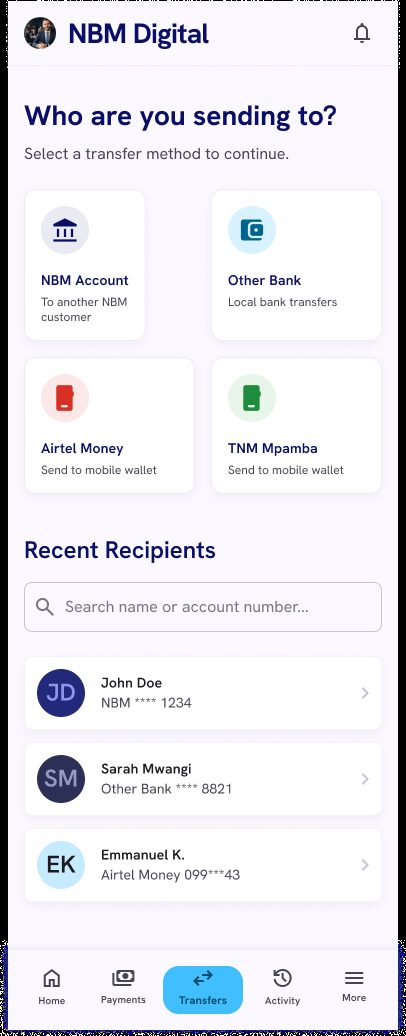
Mobile money as a peer to bank transfers, not a secondary option. The "Who are you sending to?" screen presents four transfer methods as equal-weight cards: NBM Account, Other Bank, Airtel Money, TNM Mpamba. A Malawian user sending money to a family member's Airtel Money wallet gets the same one-tap prominence as a customer transferring between two NBM accounts — reflecting actual usage patterns rather than a bank-account-first hierarchy.
Recent Recipients turns a repeat action into a search, not a re-entry. Below the transfer methods, a searchable recent-recipients list (spanning NBM accounts, other banks, and Airtel Money contacts in one unified list) means a returning user doesn't re-type an account number for a payment they've made before.
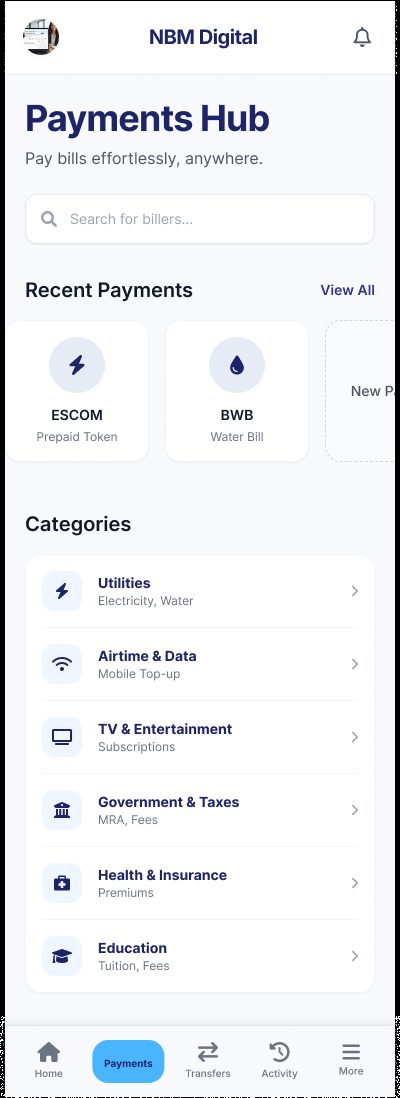
Payments Hub organizes by real-world category, not by internal product type. Utilities, Airtime & Data, TV & Entertainment, Government & Taxes, Health & Insurance, Education — categories a citizen already thinks in, with ESCOM and BWB surfaced directly as Recent Payments shortcuts for the bills people pay most often.
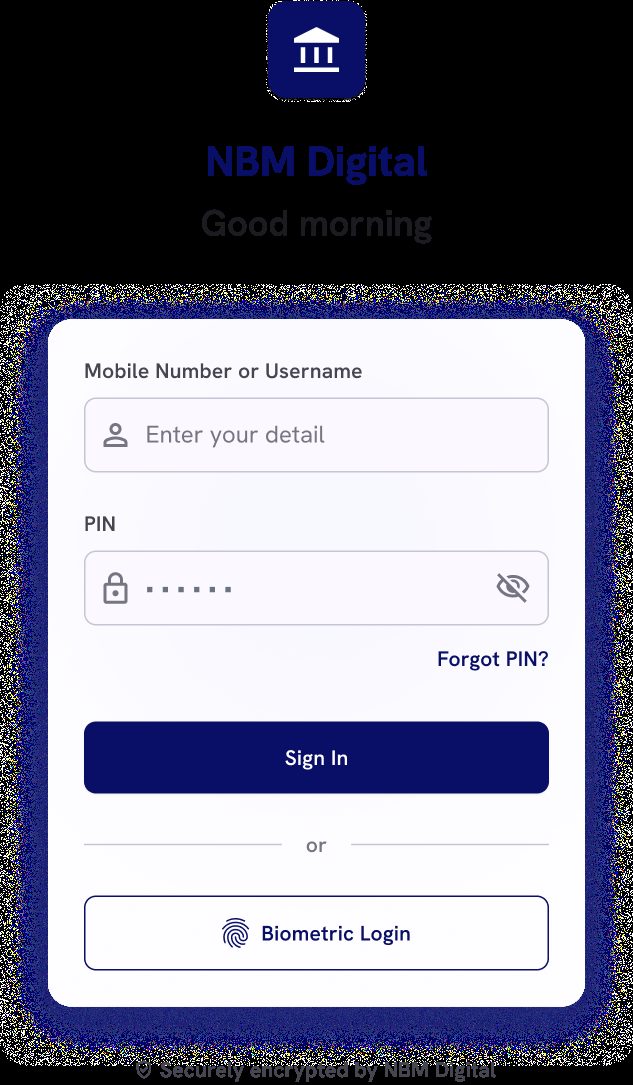
Biometric login sits beside PIN entry as an equal option, not a hidden setting. The login screen offers Sign In (username/PIN) and Biometric Login as two clearly weighted paths, with a visible "Securely encrypted" trust line beneath — reducing login friction for returning users without making biometric feel like an advanced, hard-to-find feature.
Why Two Redesigns, Not One
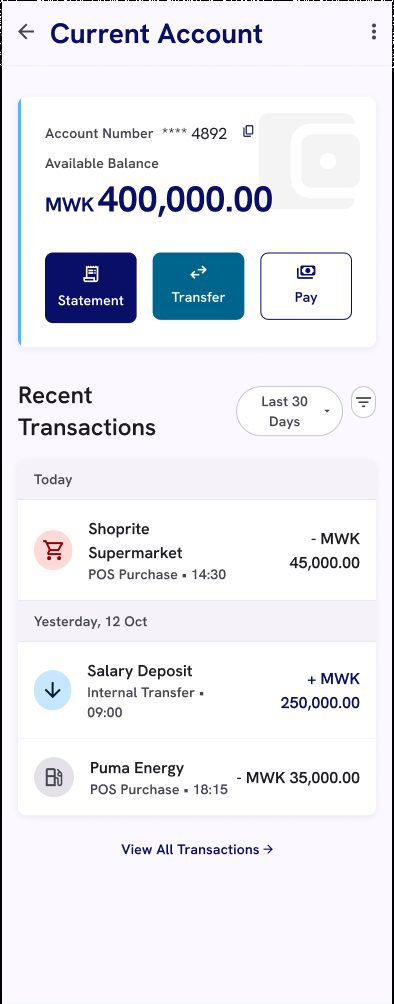
Comparing the two side by side is itself part of the portfolio value: NBS Bank's redesign focuses on clarity within a single dashboard (the available/actual balance distinction, quick actions above the fold), while NBM Digital focuses on breadth across a fuller flow (login through transfers through bill payments), with mobile money treated as first-class at every step rather than one screen. Same underlying problem — Malawi's banking apps underserving mobile-money-first behavior — approached from two different entry points.